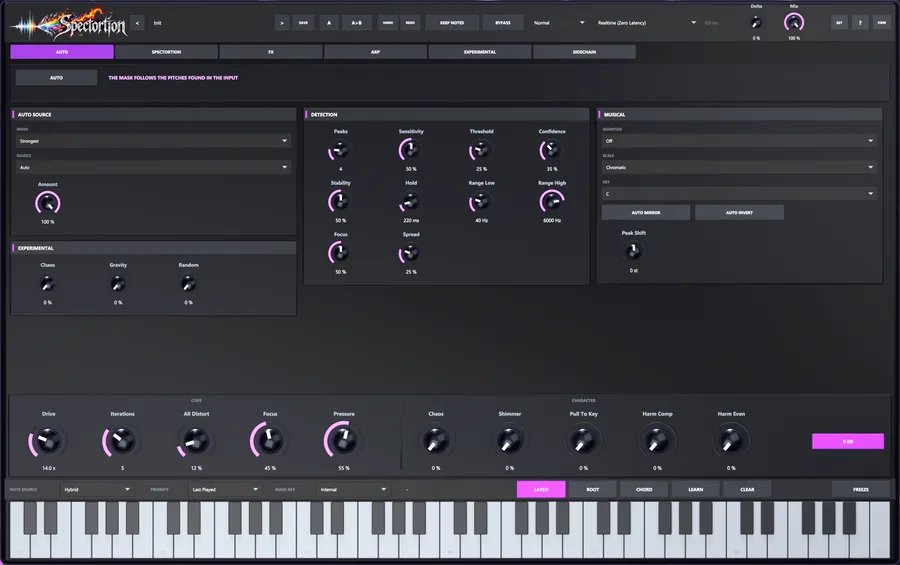
01 · AUTO
The audio picks the harmony.
AUTO listens, finds the strongest tones and makes them the notes Spectortion targets. Drag the detection zone like an EQ band. Built for voices and synths, and for drums, full mixes and noise on purpose.
Spectral distortion plug-in · VST3 · Windows
Distortion with a harmonic agenda.
Aim the dirt at your notes. Bend it into something else. Spectortion combines harmonic targeting, iterative distortion and detailed EQ: precise when you need it, experimental when you do not. MIDI, drawn notes or AUTO decide what the engine follows. Results depend on the source and settings.
Hear the presets
AUTO needs real audio evidence before identifying a new note. Oversampling, spectral modes and routing can add latency; the figures here are not a promise of instantaneous pitch detection.
The problem
Drive a chord into a nonlinear processor and it can generate harmonics and intermodulation products. Some fit the part; others add the roughness you may want to control.
Your saturator isn’t evil. It just doesn’t know what key you’re in.
| made from | lands at | nearest note | off by |
|---|---|---|---|
| C3 − A2 | 20.8 Hz | E0 | +18 ct |
| E3 − C3 | 34.0 Hz | C♯1 | −33 ct |
| 2·C3 − A2 | 151.6 Hz | D♯3 | −44 ct |
| A2 + C3 | 240.8 Hz | B3 | −44 ct |
| C3 + E3 | 295.6 Hz | D4 | +12 ct |
| A2 + C3 + E3 | 405.6 Hz | G♯4 | −41 ct |
Illustrative frequency products, not a measured output spectrum. Which products appear, and how strongly, depends on the waveshaper, level and source.
How it works
Harmonic targeting steers the processed signal toward the notes you select. Narrow or broad regions, overlap settings, residual controls and the chosen processing mode determine how much material passes through. It is a creative processor, not a guarantee that every resulting frequency belongs to a scale.
The processing uses harmonic selection, filtering and mode-dependent spectral operations. It is more than an output EQ, and its phase and transient behaviour depend on the settings.
notes     →  a map of their harmonics
audio     →  distort → keep what fits
the rest  →  your call
repeat → up to 16 timesPlay MIDI, click the keyboard, press LEARN, or let AUTO pick them out of the audio.
A narrow window opens on every harmonic of every note. You decide how wide, how high and how low.
Choose a waveshaper and how much of the harmonic-selected or broadband signal it drives. The exact path depends on the processing mode.
Use the harmonic regions and residual controls to steer which parts of the processed result remain.
Discard it, fold it back in, snap it to the nearest harmonic, or feed it into the next pass.
The result becomes the input of the next pass.
Iterations
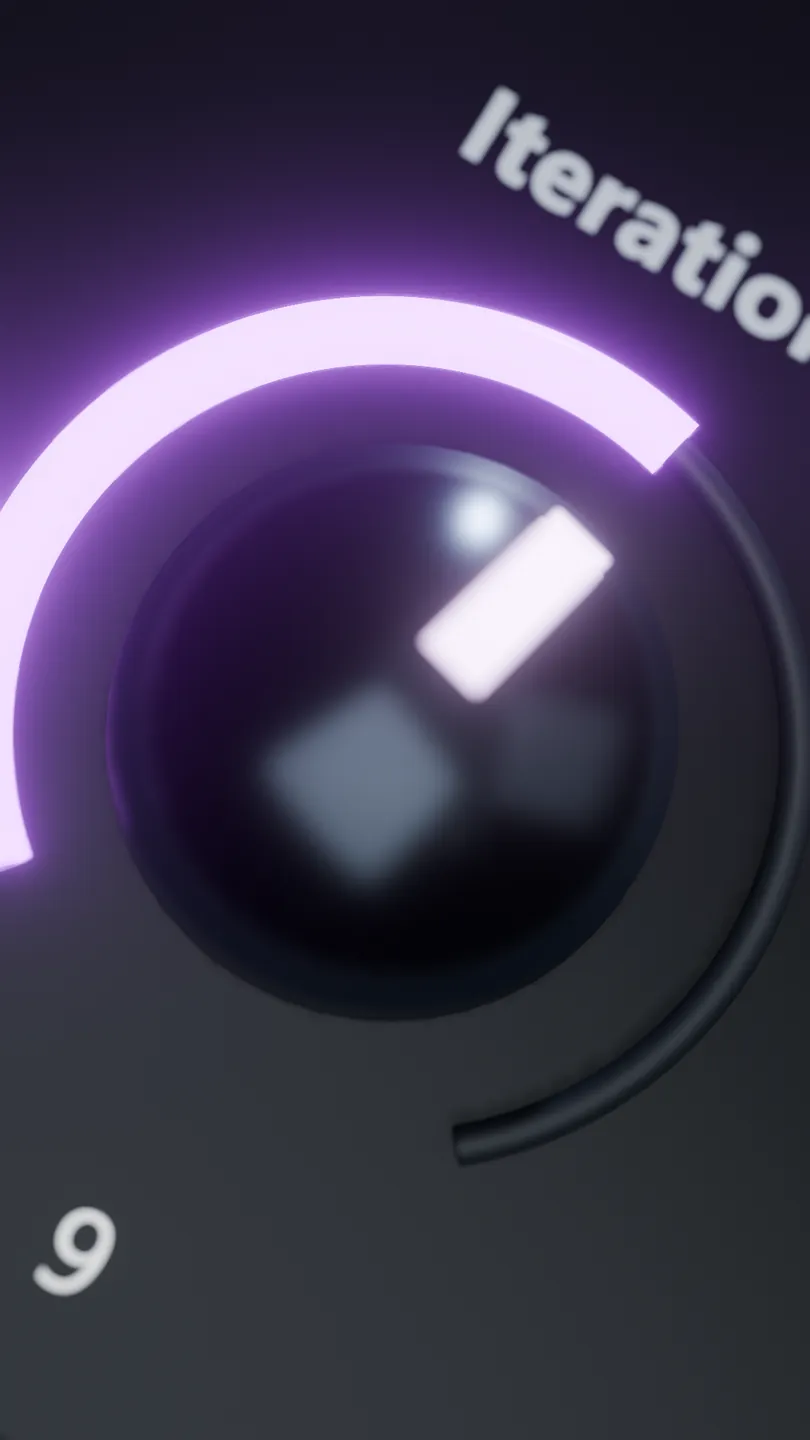
Each pass processes the result of the previous one. That can build density, emphasise selected partials or move the sound far from its source. More passes are a creative choice, not a guarantee of cleaner harmony.
Iterations runs continuously from 0 to 16. More passes can change both character and level; compare at matched loudness. Focus changes how strongly processing follows its targets.
Concept illustration of iterative focus, not a measured energy ratio or a comparison benchmark.
The plug-in
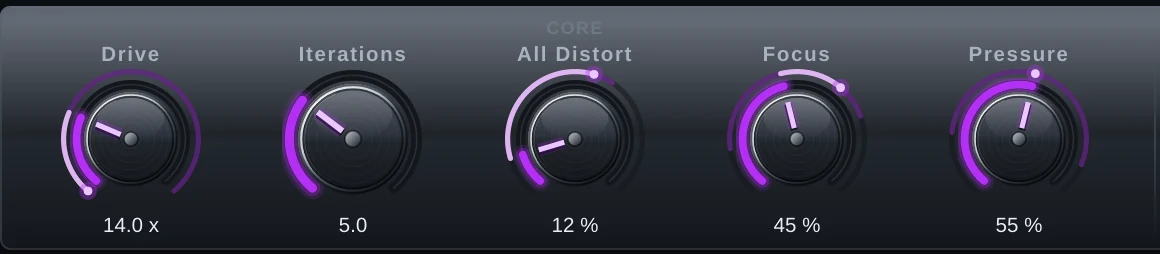
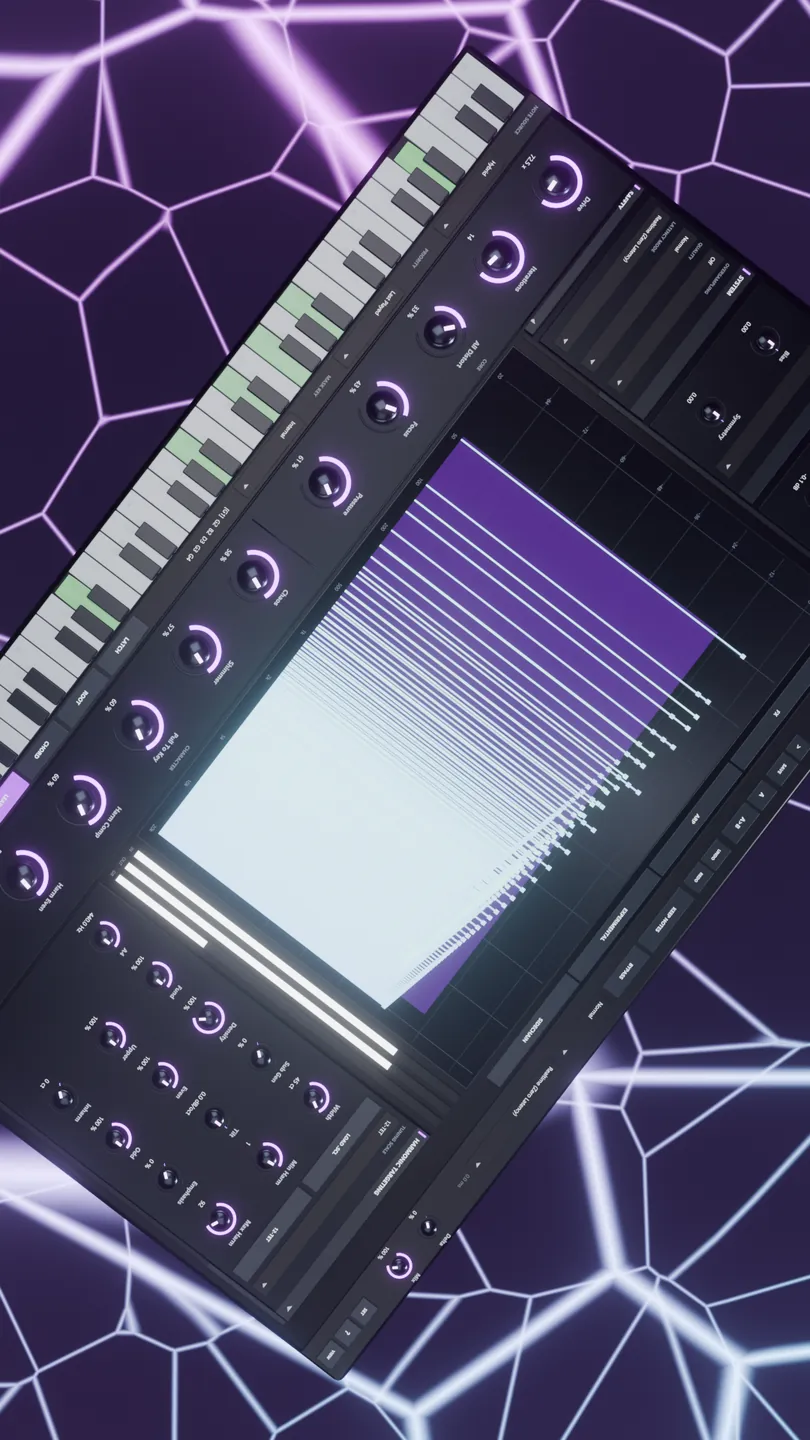
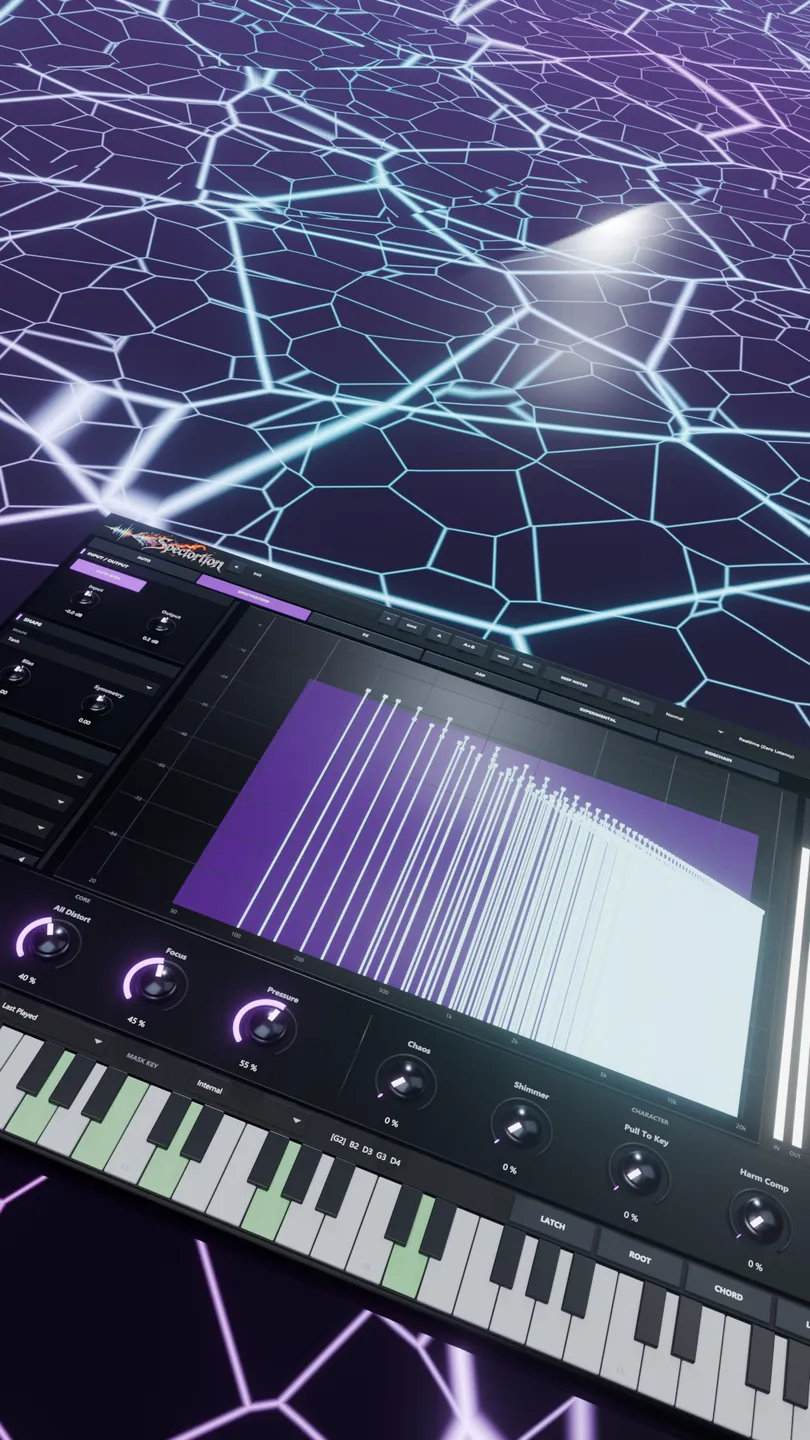
Eight macros for the big gestures, and nothing hidden behind them. Every control has a tooltip that says exactly what it does. Shift-drag for fine moves, double-click to reset.
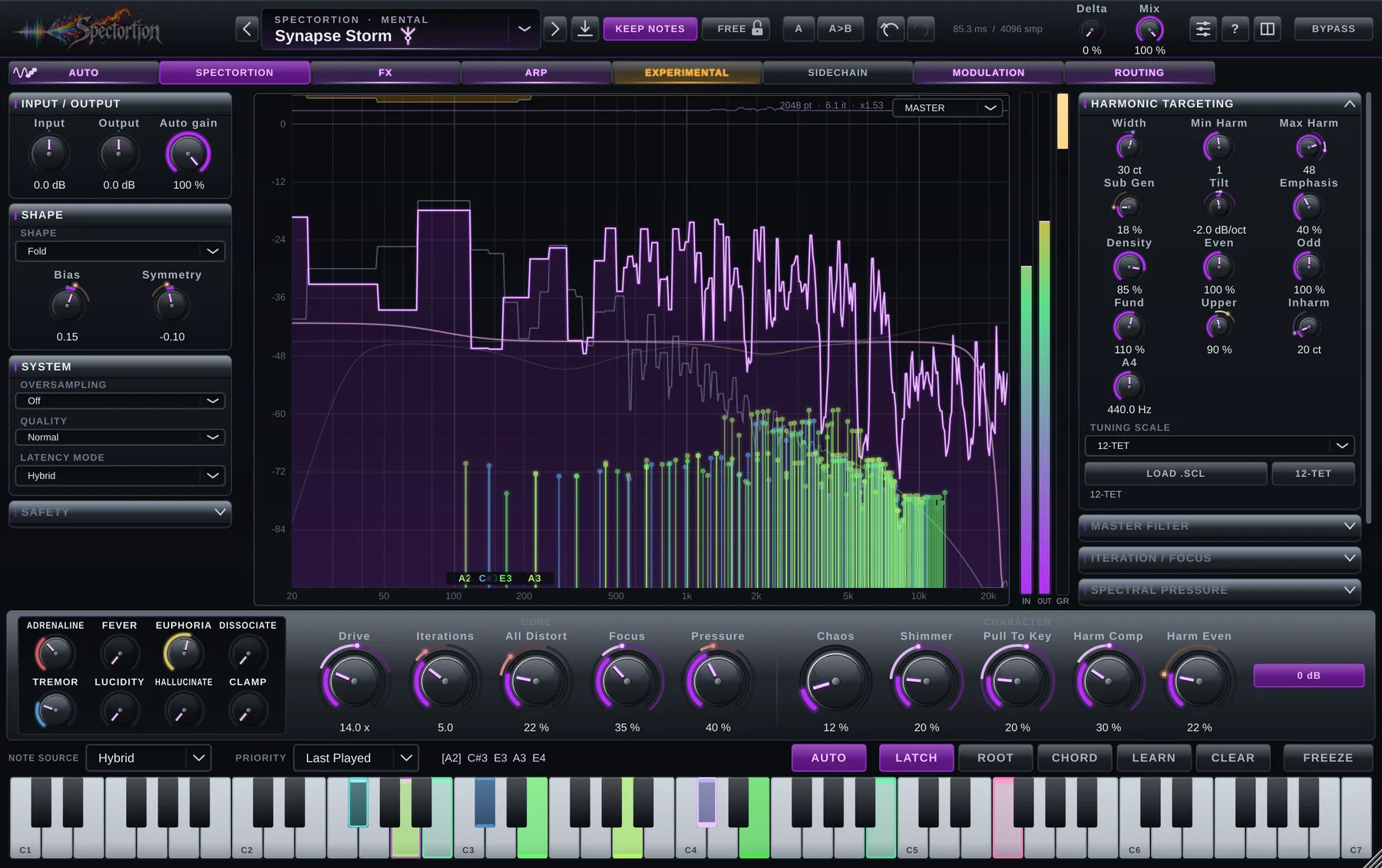
Watch it work: input against output, the regions taking distortion, and a comb that shows how hard each harmonic is ringing.
Six pages, in signal order
01 · AUTO
AUTO listens, finds the strongest tones and makes them the notes Spectortion targets. Drag the detection zone like an EQ band. Built for voices and synths, and for drums, full mixes and noise on purpose.
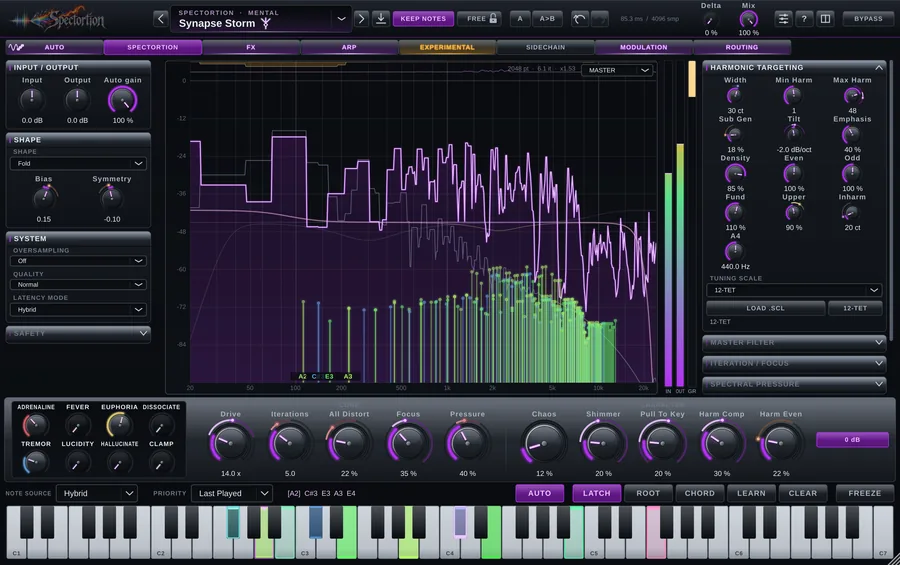
02 · SPECTORTION
Drive, Iterations and harmonic targeting, with Chaos, Shimmer and Pull To Key for character, all around a live analyser.
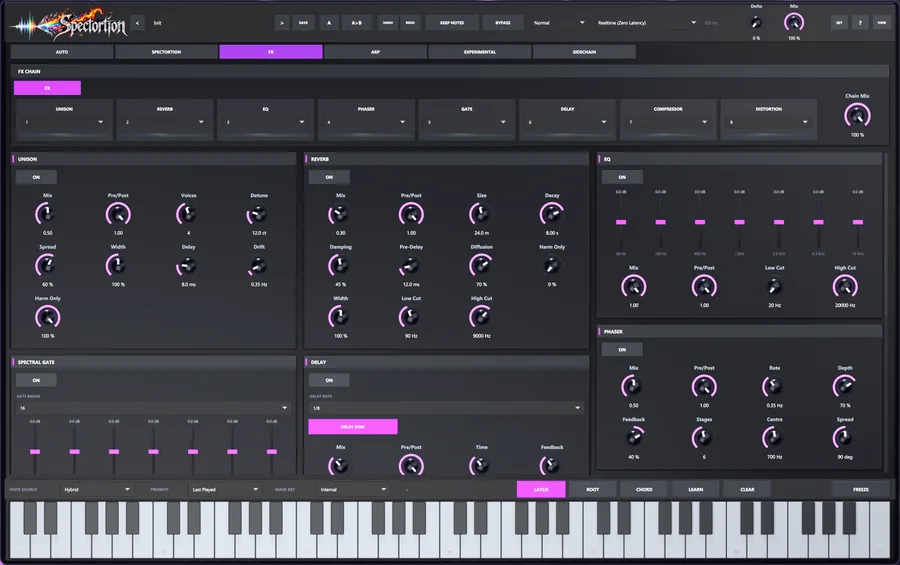
03 · FX
Unison, Reverb, EQ, Phaser, Spectral Gate, Delay, Compressor and Distortion. Drag to reorder and place each before, after or across the engine. Reverb, Delay and Unison can work on the chord’s harmonics only.
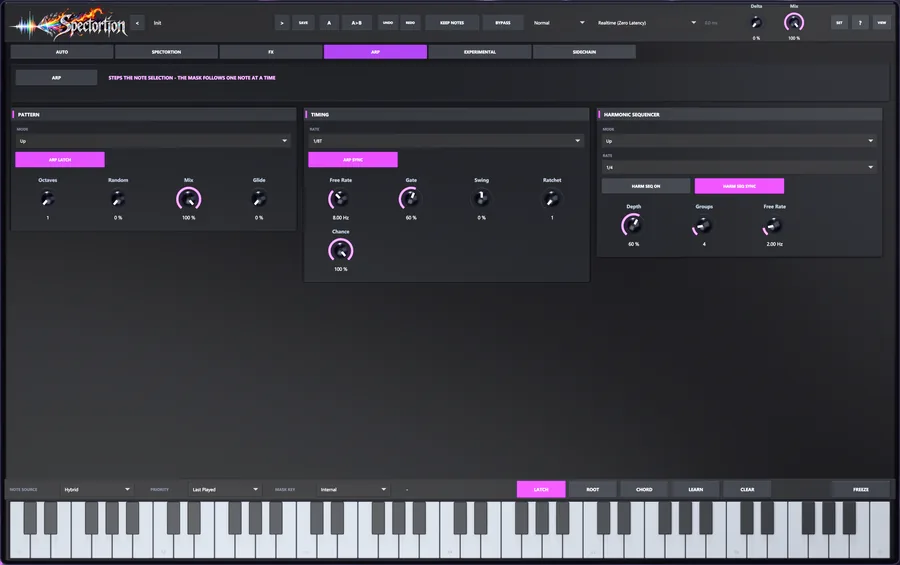
04 · ARP
It steps which notes get distorted, so the harmonics walk your chord while the audio keeps playing. Glide slides the whole series and lands in tune.
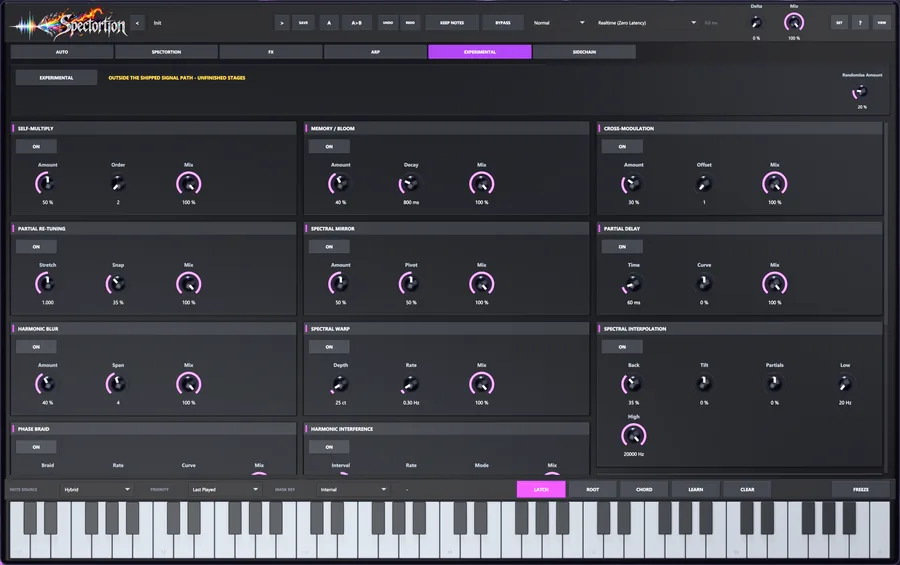
05 · EXPERIMENTAL
Spectral mirror, partial delay, memory bloom, phase braid, an overtone mod matrix and more. The Harmonic Sculptor writes the exact series you ask for. Off by default. Handle with curiosity.
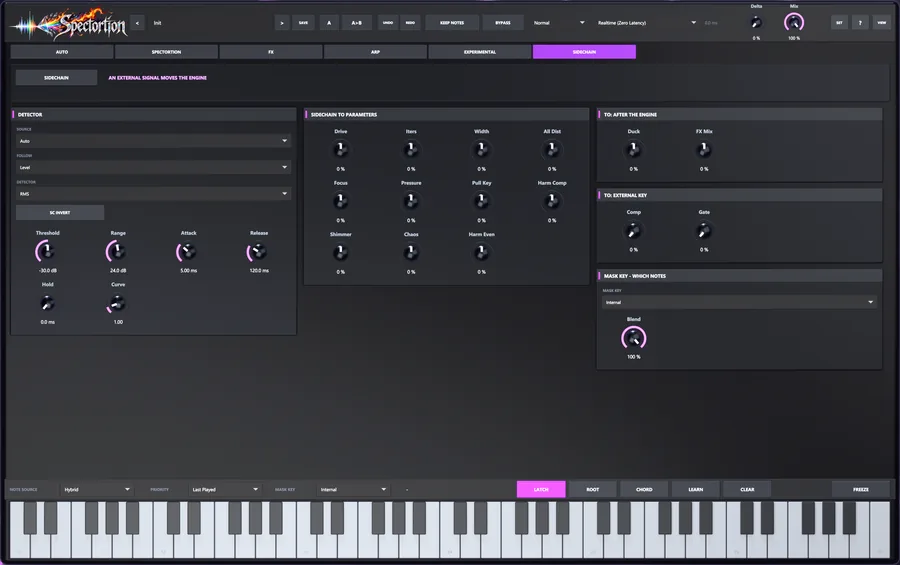
06 · SIDECHAIN
Mask Key lets a side input choose which harmonics get distorted, so a bass line can steer a pad. Or send an envelope to Drive, Iterations, Shimmer and more, keyed from a bus or from the track itself.
Modulation · the seventh page
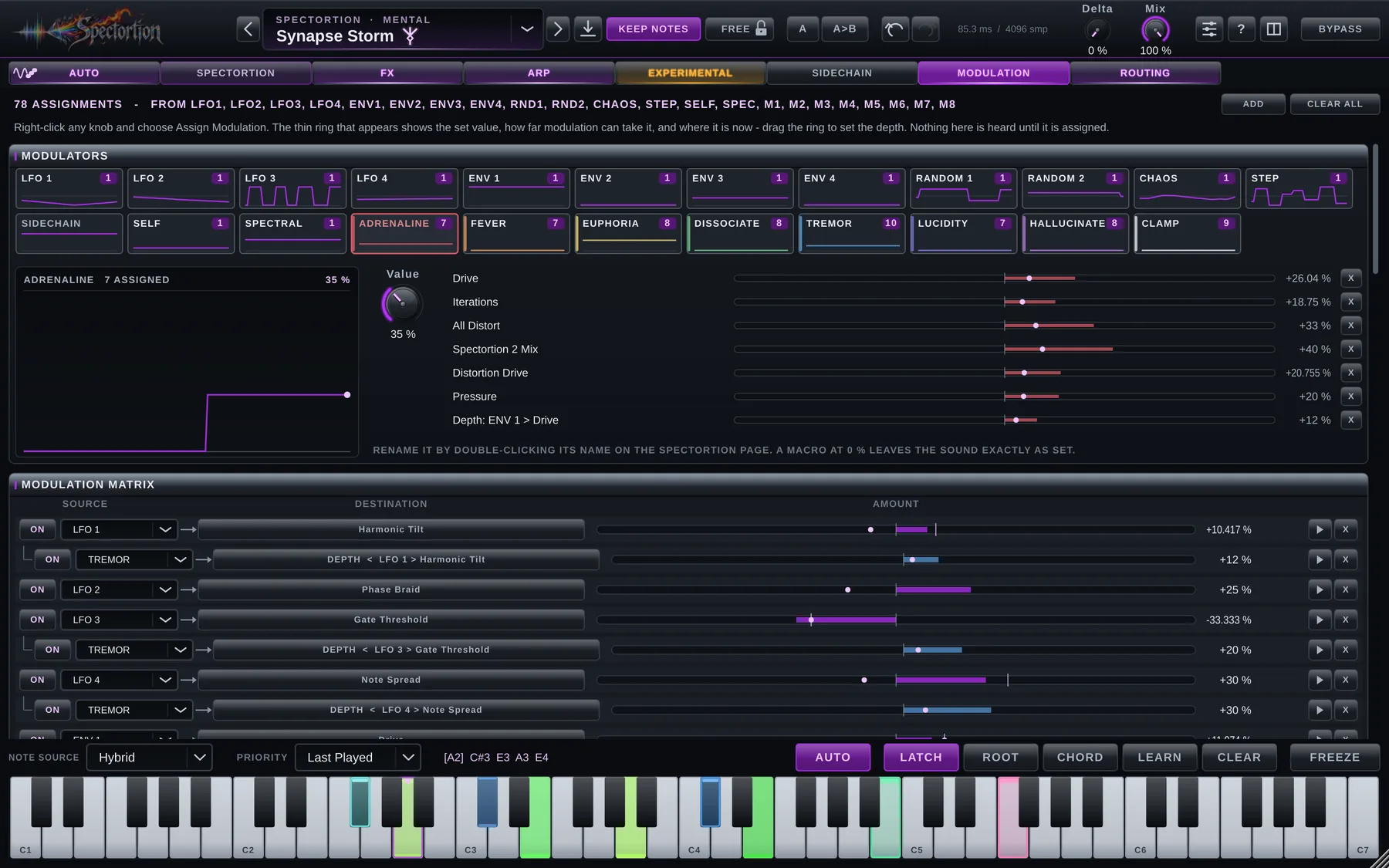
Fifteen modulators and eight macros have a page of their own. Right-click a supported control, pick a source, and a thin ring shows its base value, modulation range and current position.
Assign modulation to supported continuous controls, Output EQ bands, AUTO range edges and step values. Macros can also control the supported switches and menus.
The faint arc is how far modulation can take the control. The bright arc and bead show where it is right now. The knob keeps showing the value you set.
Drag the ring for depth, Shift for fine. Polarity, invert and curve live in the matrix, next to every other assignment.
LFO 1–4
Sine, triangle, saw, square, pulse, smooth random, sample & hold, or a Morph through them. Free or synced from 8 bars to 1/64, dotted and triplet. Restart on the transport, a MIDI note or a transient.
ENV 1–4
Follow the level of this track or the side input, react to attacks only, or run a full ADSR fired by MIDI notes, a threshold or the transport.
Random 1–2
Sample & hold, smooth, drift or stepped, with range, bias and probability. Seeds make controlled repeatability possible when the input, transport and reset conditions also match.
Chaos
A bounded Lorenz-system modulator with a repeatable seed. Its motion also depends on transport and reset settings.
Step
Draw the pattern on the page. Glide between steps, run them forward, backward, ping-pong or random, and give the steps a probability.
Sidechain · Self
Sidechain reuses exactly the envelope the SIDECHAIN page computes, or runs a detector of its own. Self follows this track’s own input, no routing needed.
Spectral
Energy, band energy, brightness, the loudest partial or spectral flux, read straight from the engine’s own analysis. No extra FFT.
Macros 1–8 · Matrix
A macro moves as many controls as you give it, switches and menus included: right-click a control, or drag the macro’s name onto it, and rename it in place. Every assignment in one list: source, destination, amount, polarity, invert and curve, each with its own on/off.
An assignment’s depth is a destination too. Let an envelope decide how far an LFO moves Drive.
A source can never end up modulating itself, however indirectly. The menu greys those sources out before you can try.
Modulation moves the control on top of the value you set and never writes back. Host automation, presets and the knob keep your value.
Assignments travel with the session, A/B and your presets, and undo like any other edit. Older presets load exactly as they were.
With nothing assigned, Spectortion is sample for sample the same plug-in as without this page. A null test checks it.
Mix, Output Gain and the sidechain duck are ramped through every block while they are modulated, so a fast LFO on Mix doesn’t click.
Routing · the eighth page
Drag the plug-in’s modules into the order you want. Run effects before the input so the dry keeps them, move DELTA ahead of the post effects so they process only what Spectortion added, take the delta again further down, or add the engine and the whole FX chain a second time. MIX stays where it belongs: the very last word, in OUTPUT.
original · taken at INPUT · DELTA subtracts it aligned by 42.7 ms · MIX at OUTPUT blends it back aligned by 42.7 ms
The chain Spectortion has always had: effects before and after the engine, then the blend.
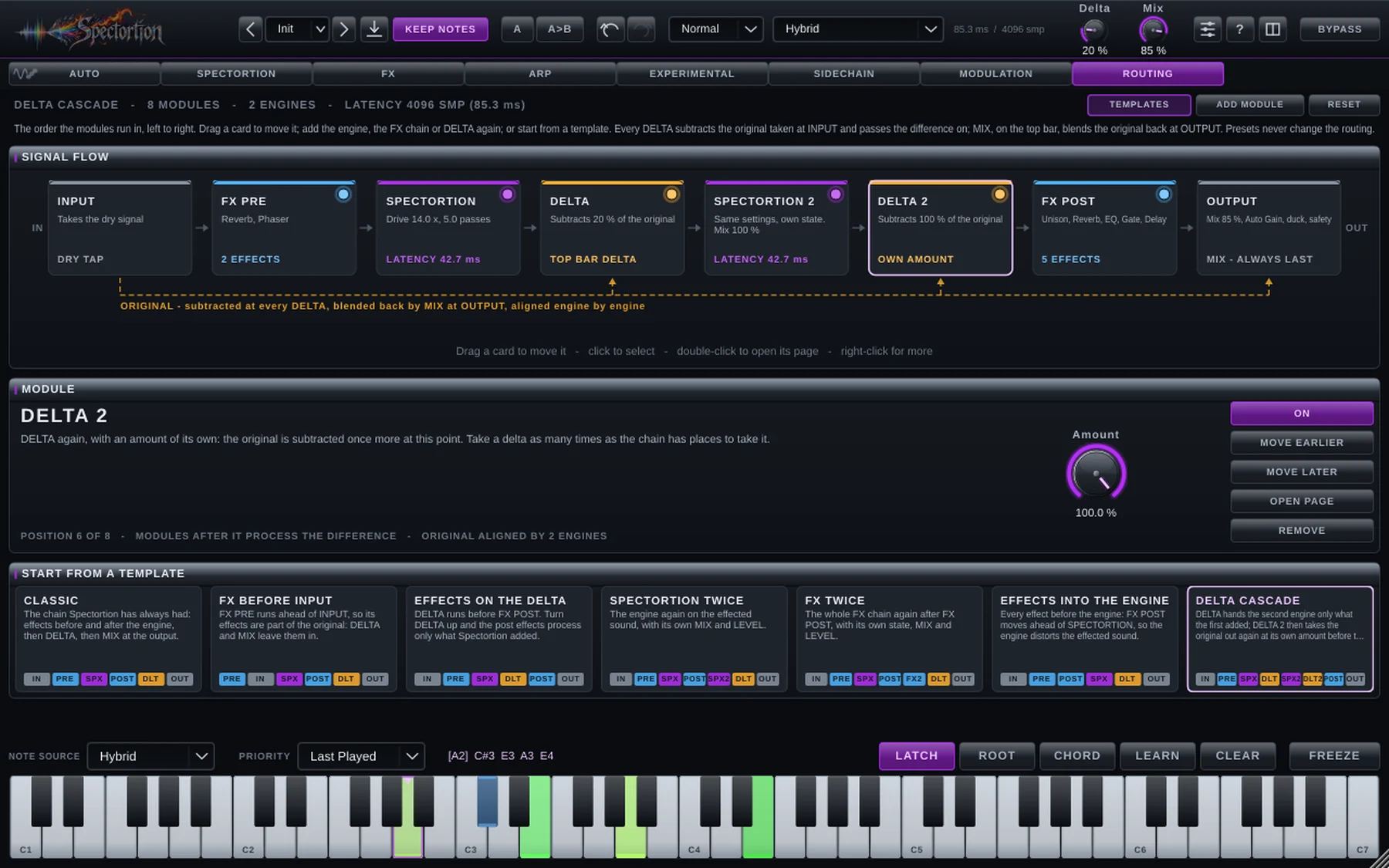
Anything before INPUT is part of the dry. MIX 0 % always means the signal at INPUT, wherever you put it.
A DELTA subtracts the original, aligned to its own point in the chain, and hands the difference on. Add DELTA 2 and 3 with their own amount to take it out again further down.
MIX lives in OUTPUT and blends the finished result of the whole routing against the dry. No order can move it.
Engine and route delays are reported to the DAW for compensation. Validate live mode changes and offline rendering in your host; not every host updates compensation in the same way.
SPECTORTION 2 and 3 run the engine again on whatever reaches them. FX 2 and 3 run the whole FX chain again. Each has its own MIX and LEVEL.
Module switches use controlled transitions. Engine bypass retains its delay so the rest of the route stays aligned.
Routing changes use controlled transitions. Make large structural changes stopped when uninterrupted playback is critical.
Seven templates, from Classic to Delta cascade, set the whole chain in one click. Undo takes it back.
A preset can bring a routing of its own, marked with a rune in the browser. Lock the order and auditioning presets never rewires anything. Undo and A/B do.
Node EQ · on the analyser
Hover the analyser and the EQ is there. Double-click to drop a node, drag it, scroll for Q, type an exact value. Three EQs share the screen: MASTER on what Spectortion puts out, HARMONICS on only what Spectortion adds — the source is left alone — and PRE on what it is fed, before anything is driven. All three sit before MIX, so MIX 0 % is always the untouched input. Any band can be static, dynamic or spectral, and the curve you see is the filter you hear.
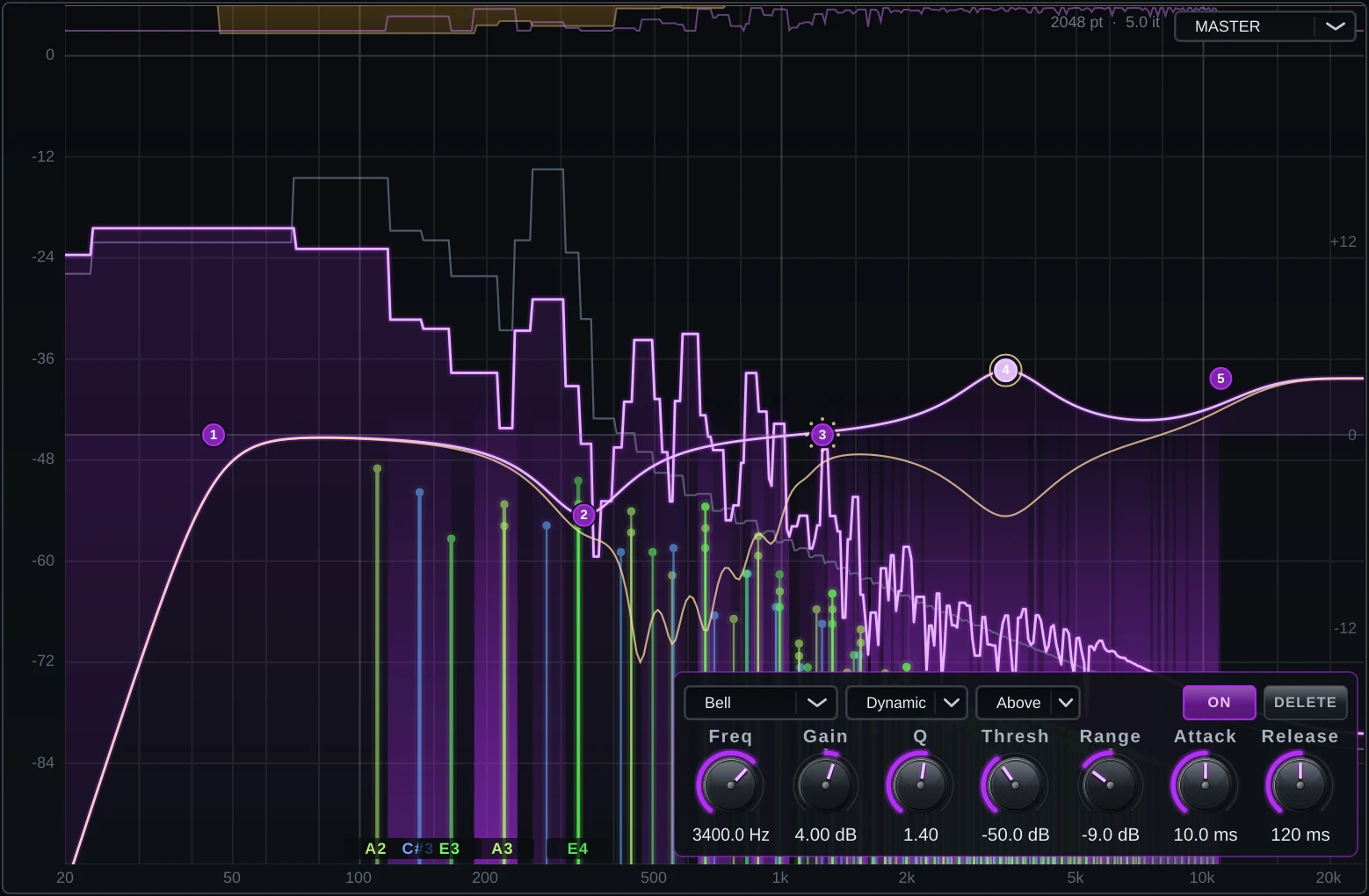
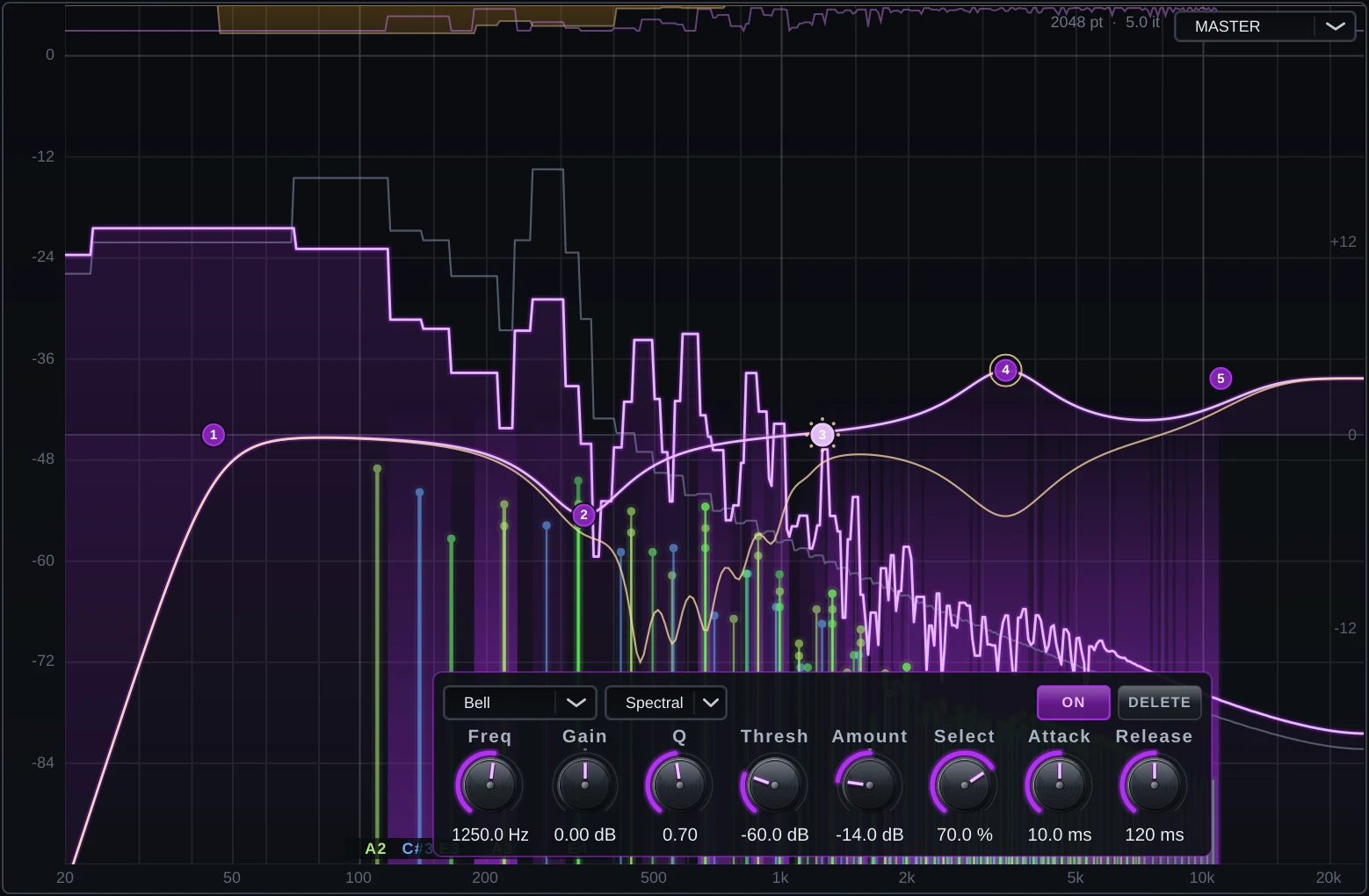
MASTER, HARMONICS and PRE from the menu at the top right, each with up to 24 bands of its own. The other two stay faintly visible behind the one you edit.
Bell, low and high shelf, low and high cut from 6 to 96 dB/oct, notch and band pass.
Threshold, range, attack and release, acting above or below the threshold. Detection is stereo-linked, so the image never leans.
Each spectral band watches twelve overlapping sub-bands and cuts only those that stand out from their neighbours. Selectivity sets how much they must stand out.
The line is computed from the same filter sections the audio runs through, at your sample rate, and the amber line shows dynamic and spectral bands as they move.
Minimum-phase filters, no look-ahead and no FFT, so the EQ adds nothing to the plug-in’s latency in any mode.
Shape the distortion itself — tame its fizz, lift its body — while the original passes through untouched.
Every band parameter is a modulation destination and a host parameter. Shift drags for fine steps; double-click a value to type it.
The bands travel with sessions, presets, A/B and undo. Presets made before the Node EQ load with all three EQs flat.
What’s inside
Width · Min/Max Harm
Decide which harmonics take the hit. Narrow windows ring and cut, wide ones feel natural. Reach up to the 128th harmonic, tilt the series, weight even against odd.
Sub Gen
Target subharmonics down to a sixteenth of the fundamental. Sub Gen builds them when the source has none, and they hold up in mono.
Pull To Key
Move selected spectral content toward the harmonics of your chord instead of only attenuating it. Complex sources and extreme settings can still produce clashes.
Shimmer
Shifts partial content upward by an octave for glassy or choral textures. Dense sources and extreme settings can still create clashes.
Chaos
Lets harmonic windows drift in time and frequency. Small amounts breathe; large amounts boil. Repeatability requires matching input, seed, timing and reset state.
Pressure · Harm Comp
Each harmonic gets its own compressor, so no single overtone takes over the note. Harm Comp evens out the whole series.
Node EQ · PRE / HARMONICS / MASTER
PRE shapes the balance entering the engine; reduce its lows to drive them less. HARMONICS shapes the generated component, and MASTER shapes the output.
Spectral Interpolation
Blend selected frequency regions toward the reference signal: cleaner lows, driven highs, or a smooth slope between. Phase interaction depends on the processing and blend settings.
Up close

In the session
A polite exciter at one setting, a chord-melting monster at another. Start with one of these, then push it.
Emphasise selected upper harmonics. Use the visible EQ nodes to control bite and brightness against the source.
Use the input filter and harmonic selection to concentrate processing on the upper range, then balance it against the dry reference.
Low harmonics only, tilted down and filtered on the way out. Weight you can feel, not a haze to fix.
Feed it cymbals, rain or a room recording and play chords into it. It sings.
AUTO finds the strongest tones in a loop, inharmonic ones included, and makes them the harmony. Hits turn metallic. Lower Stability and the harmony chases the groove.
The ARP steps the harmonics, not a synth, so nothing retriggers. The whole series slides and keeps landing on chord tones.
Latency modes
Realtime has zero added engine latency at 1x oversampling. Hybrid uses spectral processing. Spectral Phase Align (HQ) adds input-referenced phase alignment; it is not a globally linear-phase nonlinear signal path.
The table is for one engine at 1x oversampling. Additional engines, oversampling and routing can change total latency. AUTO analysis also takes time to identify a new sound; audio latency compensation does not make an unknown first sample identifiable.
Precision, with the trade-offs stated.
| Mode | Eco | Normal | High |
|---|---|---|---|
| Realtime (1x) | 0 | 0 | 0 |
| Hybrid | 1024 | 2048 | 4096 |
| Spectral Phase Align (HQ) | 2048 | 4096 | 8192 |
At 48 kHz, one Hybrid engine adds 21.3 / 42.7 / 85.3 ms and HQ adds 42.7 / 85.3 / 170.7 ms at 1x. Use the total latency reported by the running plugin for your actual route.
460 presets · Init + the 459-preset Spectortion pack
The seventeen classics — the former factory bank, now in the pack — still walk from gentlest to heaviest. Presets arrive with the notes they were voiced for, so with KEEP NOTES off you hear a finished sound world at once; leave it on to audition any preset against your own chord.
Subtle
Harmonic
Heavy
Spectral
FX Chain
The Spectortion pack
The pack covers bass, mix tools, distortion, modulation, spectral experiments and more. All 459 presets carry eight named macro controls made for their category and their name; an EQ point appears only when a macro calls for it. Macro ranges are restrained for mix tools and wide for experimental patches, and every Mental macro is a modulation channel of its own. Names and design notes describe intent, not guaranteed results on every source. Level-match when auditioning. The included updater replaces only unchanged factory files and preserves your own edits.
Design principles
The output ceiling can limit sample peaks when enabled. It is not a guarantee against inter-sample peaks or excessive monitoring volume.
Auto Gain can help compare processed and dry levels, but it has tracking and settling behaviour. Use level-matched listening rather than assuming equal perceived loudness.
Random sources are explicit. Matching input, seed, timing and reset state are needed for repeatable renders. RANDOMISE remains a deliberate control with undo.
Reset on Play resets the documented processing states at a stopped-to-playing transition. Loop wraps and seeks are not automatically equivalent to a fresh instance.
Engine and latency changes require state and host-compensation updates. For critical playback, make structural changes while stopped and verify them in your host.
Presets store processing and routing settings. Use the parameter and routing locks to retain the parts of your session that should not change.
Specifications
Get Spectortion
The trial is the full plug-in: every page, every mode, every preset. When you buy, activate in the same installation and keep working.
See current price at checkout
One licence. Every feature, no tiers.
Downloads open at launch. Leave your email below and you’ll hear first.
Questions
No. Click notes on the plug-in’s keyboard, press LEARN and let it listen, or switch on AUTO and let the audio choose. MIDI is simply the most precise option.
Most likely no notes are selected. Spectortion only keeps distortion that fits your notes, so with none selected it adds nothing. Pick a note, or raise All Distort to work across the whole spectrum.
No. Harmonic targeting is part of the processing rather than just an EQ before and after it. The architecture and phase behaviour differ by mode; more passes can change both tone and dynamics.
Yes. AUTO looks for spectral evidence, including in complex sources; it can misidentify noisy or ambiguous material. Transient Preserve can help retain attacks but is not a guarantee of unchanged transients.
Yes. Set Mask Key to Sidechain and the side input chooses which notes get distorted. For the envelope, choose This Track to make it react to itself with no routing, and Invert to open the effect in the gaps instead of closing it.
No. Modulation moves a control on top of the value you set and never writes back to it, so automation, presets and the knob itself keep your value. The ring shows where the control really is at any moment.
Yes. On the ROUTING page, move DELTA ahead of FX POST and turn Delta up: the post effects then process only what Spectortion added, and MIX at the end still blends against the dry. Or put FX PRE ahead of INPUT, and MIX and DELTA leave those effects in the dry.
Yes. Add DELTA 2 or 3 anywhere after INPUT. Each one subtracts the original again, aligned to its own place in the chain, at its own amount. The Delta cascade template feeds a second engine only what the first one added, then strips the original again before the effects.
Realtime adds no engine latency at 1x oversampling. A higher Engine setting, more iterations, multiple engines and some processing routes cost more CPU or latency. Test your intended live setup.
Activation and periodic renewal use the licensing service. Offline use is limited by the licence state and its permitted offline window; it is not an unlimited offline-use promise.
Gloriously. Turn Delta to 100 % and you’ll hear exactly how much, and exactly where.